How Price Mirror Works
Running a Shopify store means watching competitor prices constantly. Price Mirror removes the manual effort by tracking the market, helping you protect margins, and showing smarter pricing directly inside your workflow.
Built for competitive pricing
If your price is too high, shoppers may leave. If it is too low, your profit takes a hit. Price Mirror is designed to reduce that pressure for Shopify merchants.
Smart AI in the background
The app automatically analyzes competitor pricing and helps update your product pricing using Smart AI, without forcing you into a manual spreadsheet workflow.
Start after installation
Once the app is installed from the Shopify App Store, you can configure your products, competitors, pricing logic, and storefront comparison in a clear step-by-step flow.
Step-by-step setup
Price Mirror is structured to help you move from product setup to shopper-facing price comparison without repeated manual checks.
Add Your Products
Select the products you want Price Mirror to monitor. These are the items where you want to stay competitive without checking other stores manually.
Add Competitor Product Links
Enter competitor links for the same products you sell. Price Mirror keeps tracking those prices in the background so you can see how your pricing stands in the market.
Enter Purchase Price
Adding your purchase cost is optional but recommended. It helps Price Mirror calculate a smarter selling price while keeping your margin in mind.
Enable Auto Smart Price
Turn on Auto Smart Price and the widget feature from settings so the app can analyze competitors, track market changes, and update smart pricing automatically.
Review and Edit Anytime
Even with Smart AI pricing enabled, you stay in control. You can review the updated price, check margin impact, and override the smart price whenever needed.
Show Price Comparison on Storefront
Customers can see price comparisons directly on your product page, helping build trust, reduce bounce rate, and improve conversions.
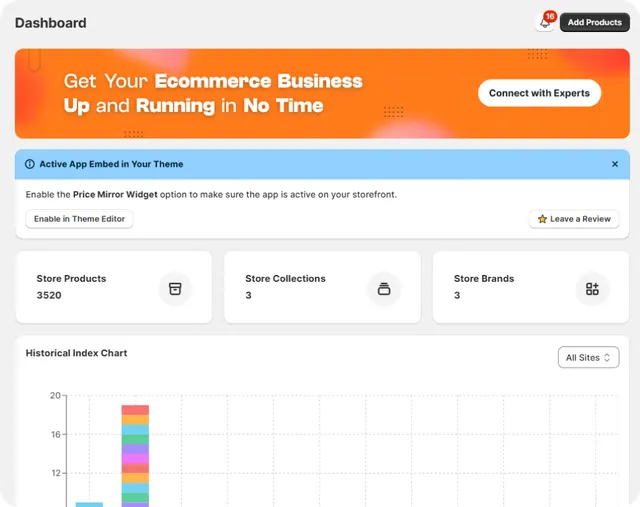
What happens when Auto Smart Price is enabled
Once enabled, Price Mirror works quietly in the background. It analyzes the market, adjusts smart pricing, and can show the comparison widget on your storefront without affecting store performance.
Stay competitive
Price Mirror helps you keep up with competitor pricing without spending hours checking stores manually.
Protect profit margins
When purchase cost is added, the app can recommend smarter prices while still keeping profitability visible.
Save time and improve conversion
The app works in the background so your team can save time, reduce guesswork, and increase the chance of conversion.
Talk with a pricing specialist
Start your free trial today. No credit card required.