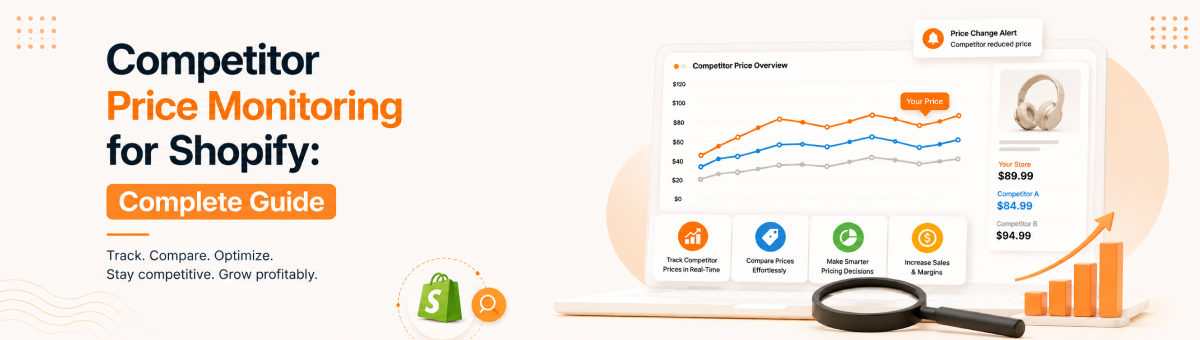
Competitor Price Monitoring for Shopify: Complete Guide (2026)
Your competitors are changing their prices right now, and unless you have a system watching them, you have no idea. They run flash sales, quietly undercut you on shared products, and sell out of stock without ever telling you. Competitor price monitoring is how Shopify stores replace that blind spot with real intelligence, so pricing decisions are based on what the market is actually doing instead of guesswork.
This complete guide breaks down everything you need to know about competitor price monitoring for Shopify: what it is, why it matters, how it differs from simple price tracking, the benefits, the choice between manual and automated approaches, the features worth looking for, the top tools available, and how Price Mirror handles it end to end.
What is competitor price monitoring?
Competitor price monitoring is the ongoing process of watching your competitors' prices across the web and using that information to guide your own pricing. The key word is ongoing. It isn't a one-time check where you look up a few rival prices and move on; it's a continuous system that keeps an eye on the market and flags what changes.
Good monitoring usually goes beyond price alone. It also watches stock availability and promotions, because a competitor going out of stock or launching a sale changes your position just as much as a price cut does. For Shopify stores, this is almost always handled by an app that tracks competitor product pages automatically, alerts you to changes, and often adjusts your prices for you within limits you set.
Why Shopify stores need it
Shopify gives you a great storefront, but it tells you nothing about what anyone else in your market charges. That gap costs real money, and here is why monitoring closes it:
- Shoppers compare before they buy. If a competitor is visibly cheaper on the same product, your conversion rate quietly drops and you usually never find out why.
- Competitors move fast. Price drops, promotions, and stockouts happen daily. Without monitoring, you react days late, if at all.
- Manual checking doesn't scale. Watching a handful of products by hand is doable; watching hundreds across several rivals is not.
- Margins need protecting. Monitoring paired with pricing rules keeps you competitive without dropping below what your business needs to earn.
- Opportunities are easy to miss. When a rival raises a price or sells out, that is your window to hold margin or push that product, but only if you are watching.
Competitor price monitoring vs price tracking (the important distinction)
These two terms get used interchangeably, but there is a practical difference worth understanding before you choose a tool.
Price tracking is about recording. It captures competitor prices and logs how they change over time, giving you a history and a dataset. It answers the question, what are these prices, and what were they?
Price monitoring is the broader, active layer built on top of tracking. It watches continuously, alerts you the moment something moves, helps you make sense of it, and often acts on it by repricing. It answers a bigger question, what is changing right now, and what should I do about it?
| Aspect | Price tracking | Price monitoring |
|---|---|---|
| Main focus | Recording prices | Watching and responding |
| What it does | Logs competitor prices over time | Tracks, alerts, analyzes, and acts on changes |
| Output | Price history and data | Alerts, insights, and pricing actions |
| Think of it as | The footage being recorded | The guard watching the feed and reacting |
Tracking is the data foundation, and monitoring is what you build on it to actually compete. If you want to go deeper on the tracking side, read our guide on how to track competitor prices on Shopify.
Benefits of competitor price monitoring
When it's set up well, competitor price monitoring improves both your margins and your sales at the same time:
- Protect margins automatically. Combined with min and max rules, monitoring keeps prices competitive without ever dipping below your floor.
- Win more price-sensitive sales. Stay competitive on shared products so shoppers have no reason to buy elsewhere.
- Save hours every week. Automation removes the endless manual checking and bulk price edits.
- React in near real time. Respond to competitor moves within your rules almost as they happen.
- Capture opportunities. Hold or lift prices when rivals raise theirs or run out of stock.
- Price with data, not hunches. Price history and analytics turn pricing into an informed strategy.
Manual vs automated monitoring
There are two ways to monitor competitor prices, and the right one depends mostly on how many products you sell.
Manual monitoring means opening competitor pages on a schedule and logging prices in a spreadsheet. It costs nothing and gives you a direct feel for the market, but it falls apart quickly. Automated monitoring uses an app that tracks competitors continuously, alerts you to changes, keeps a price history, and can reprice for you.
| Factor | Manual monitoring | Automated monitoring |
|---|---|---|
| Cost | Free | Paid, often with a free tier |
| Scales to big catalogs | No | Yes |
| Alerts on changes | No | Yes |
| Time required | High and ongoing | Minimal after setup |
| Accuracy | Prone to human error | Consistent |
| Reprices for you | No | Yes |
The rule of thumb is simple: manual works only for a tiny set of products, and everything beyond that needs automation.
Features to look for in a monitoring tool
If you go the automated route, these are the features that separate a genuinely useful tool from a frustrating one:
- Real-time tracking from any website, not just a couple of marketplaces.
- Instant alerts when a monitored competitor changes a price or goes out of stock.
- Automated repricing with flexible rules to match, beat, or hold a position.
- Minimum and maximum guardrails so automation always stays profitable.
- Monitoring of price, stock, and promotions together, not price alone.
- Price history and analytics to spot trends and refine your strategy.
- An on-page price comparison option that shows shoppers you are competitively priced, which most tools skip.
- A no-code, Shopify-native setup and a free plan or trial to test accuracy first.
Best competitor price monitoring tools
A few apps stand out for competitor price monitoring on Shopify, each with a different strength:

- Price Mirror. The best all-round option for most stores, and the only one that both monitors competitors and shows the comparison on your product pages to help convert shoppers.
- Prisync. The established choice for large catalogs and multi-channel sellers that need deep, proven coverage.
- Pricefy. AI-assisted competitor matching with a free plan, good for smaller stores on a budget.
- PriceMole. Strong automated repricing across marketplaces like Amazon and Walmart.
Each tool suits a different type of store, so the best pick depends on your catalog size, budget, and goals. For a full side-by-side breakdown of features, pricing, and ratings, see our comparison of the best price comparison apps for Shopify.
How Price Mirror works
Price Mirror handles the entire monitoring loop inside your Shopify admin, and it adds the one step most tools leave out: putting your pricing advantage in front of shoppers. Here is how it works, step by step.
- Install and connect. Add Price Mirror from the Shopify App Store and connect it to your store, with no coding needed.
- Choose products to monitor. Start with your highest-revenue products and anything competitors also sell.
- Add competitor links. Paste in the competitor product URLs you want to watch, and Price Mirror monitors them automatically in the background.
- Set your rules and guardrails. Define how you want to compete and set minimum and maximum prices so your margins stay protected.
- Get alerts and auto-repricing. Price Mirror tracks prices in real time, alerts you to changes, and reprices automatically within your rules.
- Show the comparison on your pages. Turn on the on-page price comparison so shoppers can see you are competitively priced without leaving to check.
- Review history and analytics. Use price history and reporting to refine your strategy over time.
The result is that the same data protecting your margins also becomes a visible reason for shoppers to buy from you, which is what makes Price Mirror stand out from back-office-only monitoring tools.
Try Price Mirror free on the Shopify App Store →
Frequently asked questions
What is competitor price monitoring?
Competitor price monitoring is the ongoing process of automatically watching your competitors' prices, and often their stock and promotions, and using that information to guide your own pricing decisions. Unlike a one-off check, it runs continuously and alerts you when something changes.
What is the difference between price monitoring and price tracking?
Price tracking records competitor prices and their history. Price monitoring is the broader system built on top of it: it watches continuously, alerts you to changes, and often acts on them by repricing. Tracking is the data foundation; monitoring is what you use to compete.
How often should I monitor competitor prices?
For competitive or fast-moving products, you want automated monitoring that checks at least daily, ideally several times a day. Slower categories can get by with daily checks. Manual weekly checks only make sense for a very small number of products.
Can I monitor competitor prices for free?
Yes. You can monitor manually with a spreadsheet at no cost, though it doesn't scale and has no alerts. Several apps, including Price Mirror, also offer a free plan, which is the best way to test automated monitoring on your own competitors before paying.
Is competitor price monitoring legal?
Yes. Observing prices that competitors publish openly on their own websites is a normal, widely used part of retail competitive intelligence. The sensible practice is to act on that information within your own margins rather than triggering a price war.
Does Shopify have built-in competitor price monitoring?
No. Shopify lets you edit prices and schedule discounts manually, but it doesn't track or monitor competitors on its own. For that you need a dedicated app from the Shopify App Store, such as Price Mirror.
The bottom line
Competitor price monitoring turns pricing from a reactive scramble into a controlled, data-driven system that protects your margins and keeps you competitive around the clock. Understand the difference between tracking and monitoring, choose automation once you are past a handful of products, and set your guardrails before you let anything reprice. If you want monitoring that also helps convert shoppers on the page, Price Mirror is built for exactly that, and it's free to try.