How to Track Competitor Prices on Shopify (2026 Guide)
Every Shopify merchant knows the feeling. A shopper lands on your product page, likes what they see, then opens a new tab to just check what someone else is charging. Sometimes they come back. Often they don’t. And while that’s happening, your competitors are quietly cutting prices, launching sales, and selling out of stock - without ever sending you a heads-up.
Learning how to track competitor prices on Shopify closes that blind spot. It tells you when a rival undercuts a product you both sell, when they raise prices and hand you room to do the same, and when they run out of stock so you can capture the demand. This guide walks through every way to do it - from free manual checks to automated tools - and covers one move most guides skip entirely: not just tracking competitor prices, but showing them to keep shoppers on your page.
Why tracking competitor prices matters for Shopify stores
Shopify gives you a fast storefront, but it doesn’t tell you what anyone else in your market is charging. That gap costs real money in three ways.
First, lost sales to price-shopping. Most buyers compare before they checkout. If a competitor is visibly cheaper on the same product, your conversion rate drops - and you usually never find out why.
Second, margin erosion you can’t see. If you sell products other retailers also carry, a competitor dropping prices 15% on a shared SKU pulls demand away from you until you notice. By the time you do, you’ve lost a week of sales.
Third, missed opportunities. When a rival raises a price or goes out of stock, that’s your window to hold full margin or push that product in ads. You can only act on it if you’re watching.
That’s the whole point of competitor price tracking: feed outside market signals into your pricing decisions instead of guessing.
Ways to track competitor prices on Shopify
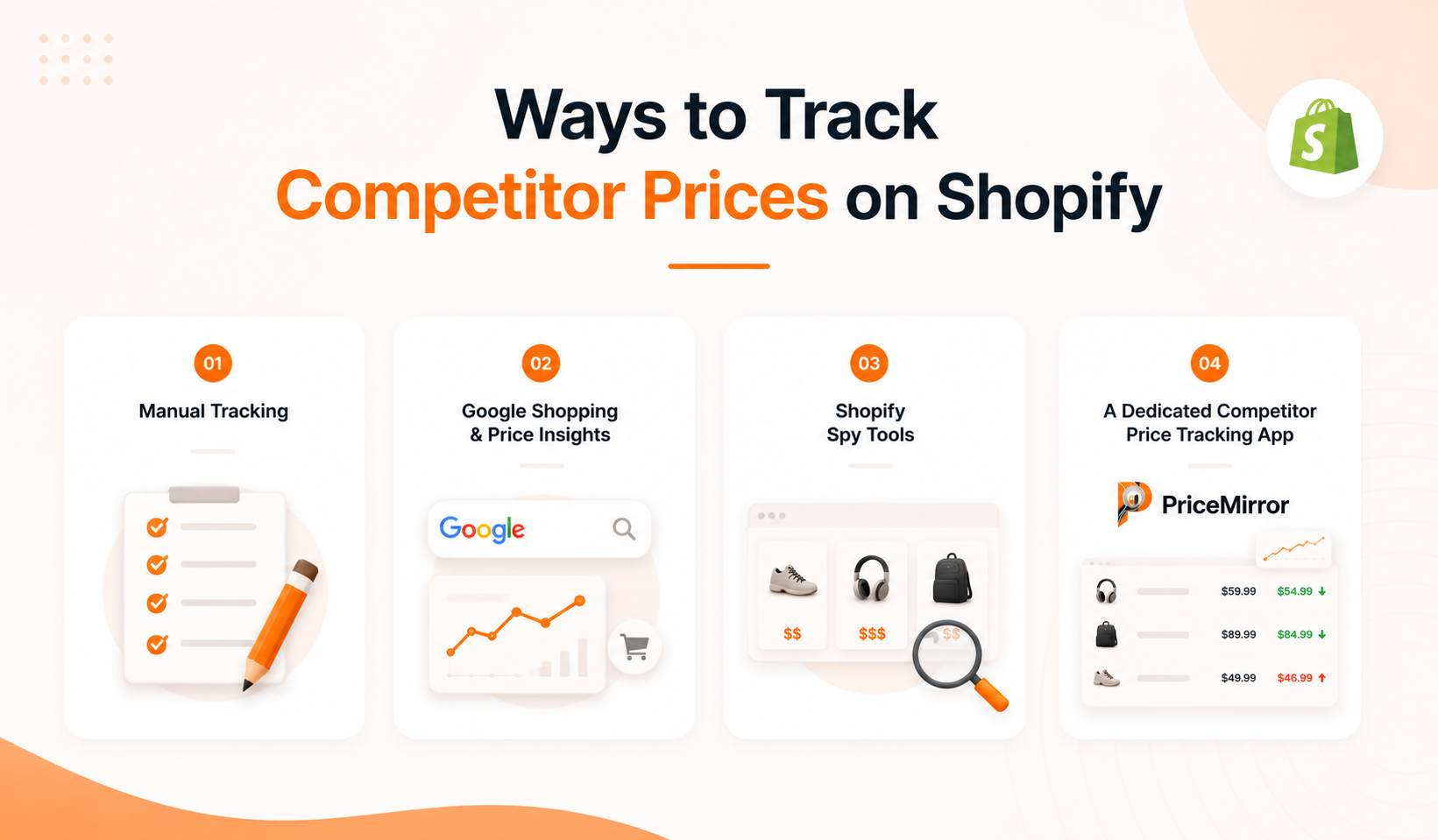
There are four practical approaches, from completely free to fully automated. Most stores end up combining a couple of them.
1. Manual tracking (free, but it doesn’t scale)
The simplest method is to open your competitors’ product pages on a schedule and log their prices in a spreadsheet. It costs nothing and gives you a direct feel for how rivals price and promote.
The catch is time. Tracking five competitors with twenty products each means checking a hundred pages - every time. Add collection pages and sale events and it becomes unmanageable fast. Manual tracking works when you’re watching a handful of hero products, and falls apart beyond that.
2. Google Shopping and Price Insights (limited, but useful)
Google Shopping lets you see how competitors price similar products, and Google Merchant Center’s Price Insights shows where your prices sit against the market. It’s a quick way to gauge the landscape.
The limits matter, though. Google only surfaces advertised prices, not full catalogs, and there’s no alerting or price history. You still have to check manually, and you’ll miss anything a competitor isn’t actively running in Shopping ads.
3. Shopify spy tools (a snapshot, not monitoring)
Store-research tools can show you a competitor’s current products, estimated best-sellers, and pricing at a glance. They’re good for sizing up a rival when you first start researching.
But most are snapshots. They show the store right now - they don’t watch for changes or alert you when a specific price moves. For ongoing tracking, you need something that runs in the background.
4. A dedicated competitor price tracking app (the real answer)
For any store past a handful of products, a purpose-built Shopify competitor price tracker is the only approach that scales. You add the competitor product links once, and the app checks them automatically, records price history, and alerts you when something changes. No manual checking, no missed price drops.
This is also where you get features the other methods can’t offer: margin guardrails, change detection, and - if you choose the right app - a way to turn that pricing data into something your shoppers actually see. More on that shortly.
What to look for in a competitor price tracking tool
Not every price monitoring app is built the same. When you’re choosing one for Shopify, these are the features that actually matter day to day:
- Real-time tracking: It should check competitor prices automatically and often - not leave you refreshing tabs.
- Change alerts: You want a notification the moment a tracked competitor moves a price, not a report you have to go dig for.
- Price history: Trends over time reveal seasonal patterns and tell you when a “sale” is actually a sale.
- Margin guardrails: Set a floor and ceiling so you never react to a competitor by pricing below what your business needs.
- Clean Shopify integration: It should connect to your store directly, with no clunky exports or manual syncing.
The move most guides miss: don’t just track prices - show them
Almost every guide on this topic stops at the same place: track competitor prices, then change your own prices. That’s useful. But it ignores the moment where you actually lose the sale - the second a shopper leaves your product page to compare somewhere else.
Here’s the shift. Once you’re already tracking competitor prices, you can display that comparison right on your product page. When a visitor can see that you’re the same price or cheaper without opening a single new tab, they stay and buy. You’ve turned price anxiety - the thing that was driving them away - into a reason to trust you.
This is the difference between price tracking as a back-office task and price tracking as a conversion tool. The data you’re already collecting to protect your margins can double as an on-page trust signal. It’s the part of competitor pricing that most Shopify stores never use, and it’s often where the fastest wins are.
How to set up competitor price tracking on Shopify, step by step
Whichever tool you land on, a reliable workflow looks the same. Here’s how to get it running.
- Pick the products worth watching. Don’t try to track your whole catalog on day one. Start with the 20–30 products that drive most of your revenue or margin, plus anything other retailers also sell.
- List your real competitors per product. For each product, identify three to five competitors who sell the same or a comparable item. These are the links your tool will monitor.
- Add the competitor product links to your tracker. Drop each competitor URL into your price tracking app so it can monitor them automatically in the background - no manual checks from here on.
- Set your margin guardrails. Define a minimum and maximum price for each product so any pricing decision stays inside what’s profitable for you.
- Decide what happens when a price changes. Tracking without a response is wasted effort. Write the rule: if a competitor undercuts by more than 10%, you review; if they go out of stock, you push that product in ads; if they raise prices, you hold.
- Show the comparison where it counts. If your tool supports it, enable an on-page price comparison so shoppers see how you stack up without leaving - turning your tracking data into conversions.
Doing it all in one place
If you’d rather not stitch together a spreadsheet, a spy tool, and a separate widget, this is exactly the gap Price Mirror was built to fill. It tracks competitor prices in the background, gives you margin guardrails and change alerts, and shows a live price comparison right on your Shopify product pages - so the same data that protects your margins also keeps shoppers from leaving to compare. You add your products, add competitor links, and turn the comparison on.
Try Price Mirror on the Shopify App Store →
Frequently asked questions
How often should I check competitor prices on Shopify?
For high-competition or fast-moving products, you want automated checks at least daily - ideally several times a day. For slower categories, daily is plenty. Manual weekly checks are fine only for a tiny set of products; beyond that you’ll miss the windows that matter.
Can I track competitor prices on Shopify for free?
Yes - manually. You can log competitor prices in a spreadsheet and use Google Shopping to spot-check the market at no cost. It works for a handful of products but doesn’t scale, and there’s no alerting. Most stores move to a dedicated app once manual tracking eats too much time. Many apps, including Price Mirror, offer a free tier to start.
Is it legal to track competitor prices?
Tracking publicly listed prices is a normal, widely used part of retail competitive intelligence. You’re observing information your competitors display publicly to their own shoppers. The line to respect is acting on it sensibly - staying within your own margins rather than triggering a race to the bottom.
Should I always match the lowest competitor price?
No. The goal isn’t to be cheapest - it’s to find the price point that maximizes both conversions and profit. Sometimes that means matching, sometimes holding firm and leaning on differentiation, sometimes showing the comparison so shoppers see you’re fairly priced. Guardrails keep these decisions inside profitable territory.
The takeaway
Tracking competitor prices on Shopify isn’t about obsessing over every rival - it’s about replacing guesswork with current market signals. Start with your most important products, automate the monitoring so it runs without you, and set guardrails so you act profitably. Then take the step most stores miss: put that comparison in front of your shoppers, so the prices you’re tracking become a reason to buy from you instead of a reason to leave.