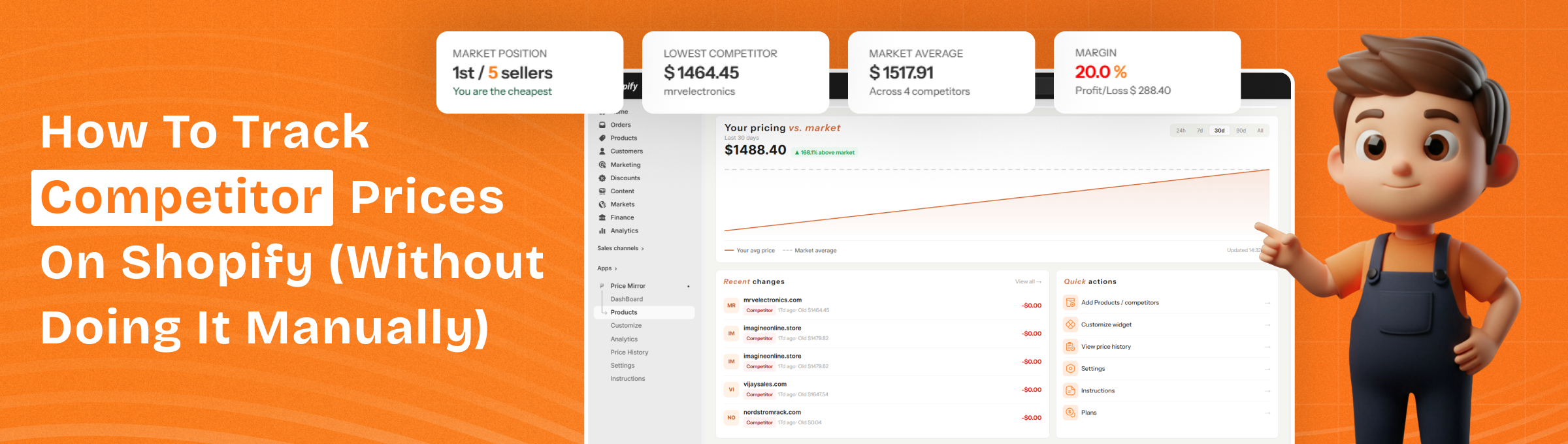
How to Track Competitor Prices on Shopify (Without Doing It Manually)
You just lost three sales in a row. Same product. Same traffic. But customers are bouncing.
Then you Google your own product and there it is. A competitor selling the exact same item for Rs 200 less. They probably changed their price two days ago. You had no idea.
This is the silent killer for Shopify stores. Not bad ads. Not poor design. Just being priced out of the market without ever knowing it.
The good news? You don't have to manually check competitor prices every day. There's a smarter way, and this guide will walk you through exactly how to do it.
Why Manual Price Tracking Is a Problem
Most Shopify sellers start by doing it manually. They open five browser tabs, check competitor product pages one by one, jot prices into a spreadsheet, and repeat the process every few days.
It feels productive. But it's actually one of the biggest time traps in ecommerce.
Here's why manual tracking breaks down fast:
- It doesn't scale. If you have 50 products and 5 competitors, that's 250 price checks every single time.
- It's always outdated. Competitors can change prices multiple times a day. By the time you check, the data is already stale.
- You miss the moments that matter. A competitor drops their price on a Friday evening before a weekend sale. You find out on Monday after losing two days of sales.
- Human error creeps in. Spreadsheets get messy. Rows get missed. Wrong prices get recorded.
The goal isn't just to know competitor prices. It's to know them in real time, so you can make faster, smarter decisions.
How to Track Competitor Prices on Shopify: 3 Methods
There are three main ways Shopify sellers track competitor prices. Each has its place depending on your store size, budget, and how aggressive your pricing strategy is.
Method 1: Manual Tracking (Spreadsheet)
Best for: Stores with fewer than 10 products and 2-3 competitors.
Create a Google Sheet with columns for product name, your price, competitor prices, last checked date, and price difference. Set a weekly calendar reminder to update it. This is better than nothing, but it won't catch rapid price changes and takes meaningful time each week.
The honest verdict: Fine to start with, but you'll outgrow it quickly.
Method 2: Google Alerts + Price Comparison Sites
Best for: Stores that sell branded products available on multiple platforms.
Set up Google Alerts for your competitor's brand name + "price" or "sale." You'll get notified when they publish a blog post or press release about a promotion, but you won't catch silent price changes on their product pages.
Price comparison websites like Google Shopping can also show you where your prices stand in the market at a glance.
The honest verdict: Useful as a supplementary signal, not a complete solution.
Method 3: Automate Competitor Price Tracking with a Shopify App
Best for: Any Shopify store serious about staying competitive.
This is where the real advantage lies. A dedicated competitor price tracking app monitors your competitors' product pages automatically 24/7 and alerts you the moment a price changes. No manual checking. No outdated spreadsheets. No surprises.
- Real-time price data across all your competitors
- Instant price alerts when a competitor raises or drops their price
- Price history so you can spot trends and seasonal patterns
- A dashboard that shows your position in the market at a glance
What to Look for in a Competitor Price Monitoring Tool
Not all apps are built the same. Here's what actually matters when choosing a competitor price tracking tool for your Shopify store:
- Real-time monitoring - Prices change fast. You need a tool that checks competitor pages frequently, not just once a day.
- Alerts and notifications - You shouldn't have to log in to see if something changed. A good tool sends you a price alert the moment a price shifts.
- Works across any website - Your competitors aren't all on Shopify. Your tool should be able to track prices on any website, WooCommerce, Amazon, standalone stores, wherever.
- Price history - Seeing what a competitor charged last month helps you understand if a drop is a one-off sale or a permanent price cut.
- Easy setup - You shouldn't need technical skills to start tracking. Add a competitor URL, select a product, and go.
How to Automate Price Tracking for Your Shopify Store
Here's a step-by-step walkthrough of how automated tracking works in practice:
Step 1: Identify Your Real Competitors
Don't track everyone. Track the ones that matter. Pick your top 3-5 direct competitors to start.
Step 2: List the Products You Want to Monitor
Focus on your best-sellers and highest-margin products first. These are the ones where a price gap costs you the most.
Step 3: Install a Competitor Price Tracking App for Shopify
Install a tool like Price Mirror on your Shopify store. It's built specifically for this. You add your competitor product URLs, and it starts monitoring prices in real time automatically.
Step 4: Set Up Price Alerts
Configure alerts for the scenarios that matter most to you: competitor drops below your price, competitor raises their price, or price changes by more than X%.
Step 5: React - Don't Just Watch
The data is only useful if you act on it. When a competitor drops their price, reprice deliberately:
- Match the price if you can absorb the margin hit
- Add value (free shipping, bundle, bonus) instead of cutting price
- Hold your price if your brand or quality justifies it
- Raise your price if a competitor raised theirs and there is room to follow
How Often Should I Check Competitor Prices?
This depends on your category:
| Category | Recommended Frequency |
|---|---|
| Electronics, gadgets | Daily or real-time |
| Fashion, apparel | 2-3x per week |
| Home goods, furniture | Weekly |
| Seasonal / trend products | Daily during peak season |
| Commodity products | Real-time |
With a manual system, daily or real-time tracking is impossible. With an automated price tracking tool, it is the default.
Can I Get Alerts When a Competitor Changes Their Price?
Yes, and this is one of the most valuable features of a competitor price monitoring tool.
Instead of logging in every day to check, you get a notification pushed to you the moment something changes. You can usually configure these price alerts by:
- In-app dashboard notifications
- Specific thresholds (e.g., only notify me if the price drops more than 10%)
Is There a Free Way to Monitor Competitor Prices?
Partially. Manual spreadsheet tracking costs nothing but your time. Google Alerts can catch some promotional signals for free.
But for real-time, automated competitor price tracking on Shopify, you need a proper tool. Most apps offer a free plan or trial, so you can test before committing.
The question to ask isn't can I do this for free? It's how much am I losing by not knowing what competitors charge?
What Is the Best Tool to Track Competitor Prices on Shopify?
If you're a Shopify seller looking for a straightforward, purpose-built solution, Price Mirror is built exactly for this use case.
Price Mirror lets you:
- Track competitor prices in real time, across any website
- Get instant price alerts when a competitor changes their price
- View price history to understand trends over time
- Monitor all your competitors from a single dashboard
- Set up in minutes - no technical skills required
Install Price Mirror - Shopify Competitor Price Tracking App
How Do I Know If I Am Losing Sales Because of Pricing?
- High traffic, low conversion rate. People are visiting but not buying. Pricing is one of the top reasons.
- Cart abandonment spikes. Customers add to cart, then leave. They are probably comparing prices before checkout.
- Competitors ranking above you on Google Shopping. Lower prices often drive better placement.
- Customer feedback mentioning price. Found it cheaper elsewhere is a clear signal.
If any of these sound familiar, it's worth checking whether your prices are competitive right now, not last week.
Final Thoughts
Manual competitor price tracking works until it doesn't. And in a market where prices can change multiple times a day, that moment comes sooner than you'd expect.
Automating competitor price tracking on your Shopify store isn't just about saving time. It's about having the price intelligence you need to make smart, fast pricing decisions. That's the edge that separates stores that grow from stores that stagnate.
Stop guessing what your competitors charge. Start knowing.
Start tracking competitor prices with Price Mirror - free to try